
MY INSURANCE
Manage all your policies with just one clickThe Client portal provides you with a highly personalised interactive service on the web.
Portal Features
 Policies Overview
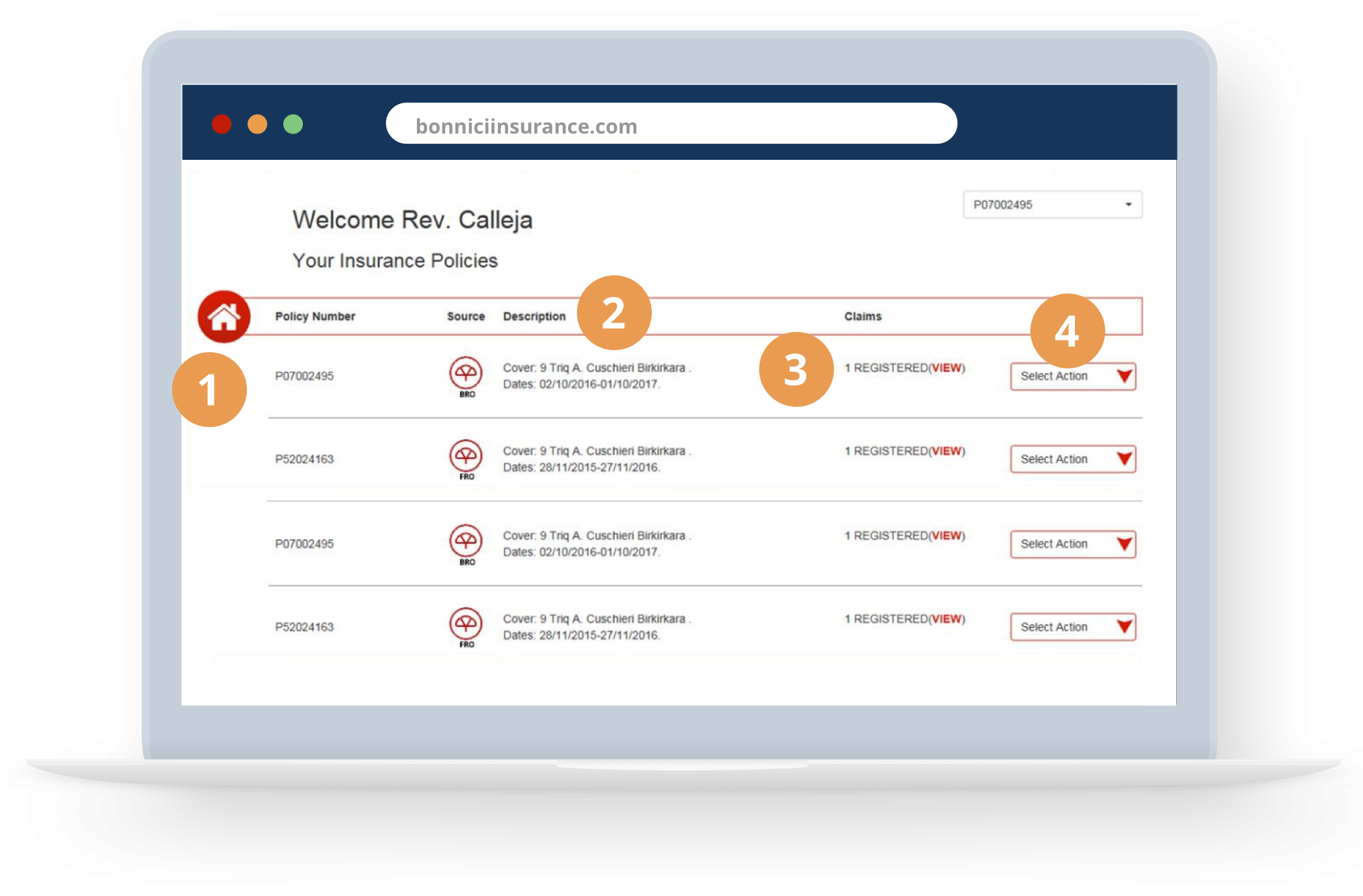
As soon as you log in, you will be presented with an overview of all your portfolio
 Open a claim
Register a claim, track the status and pay the excess if required
 Renew Policy
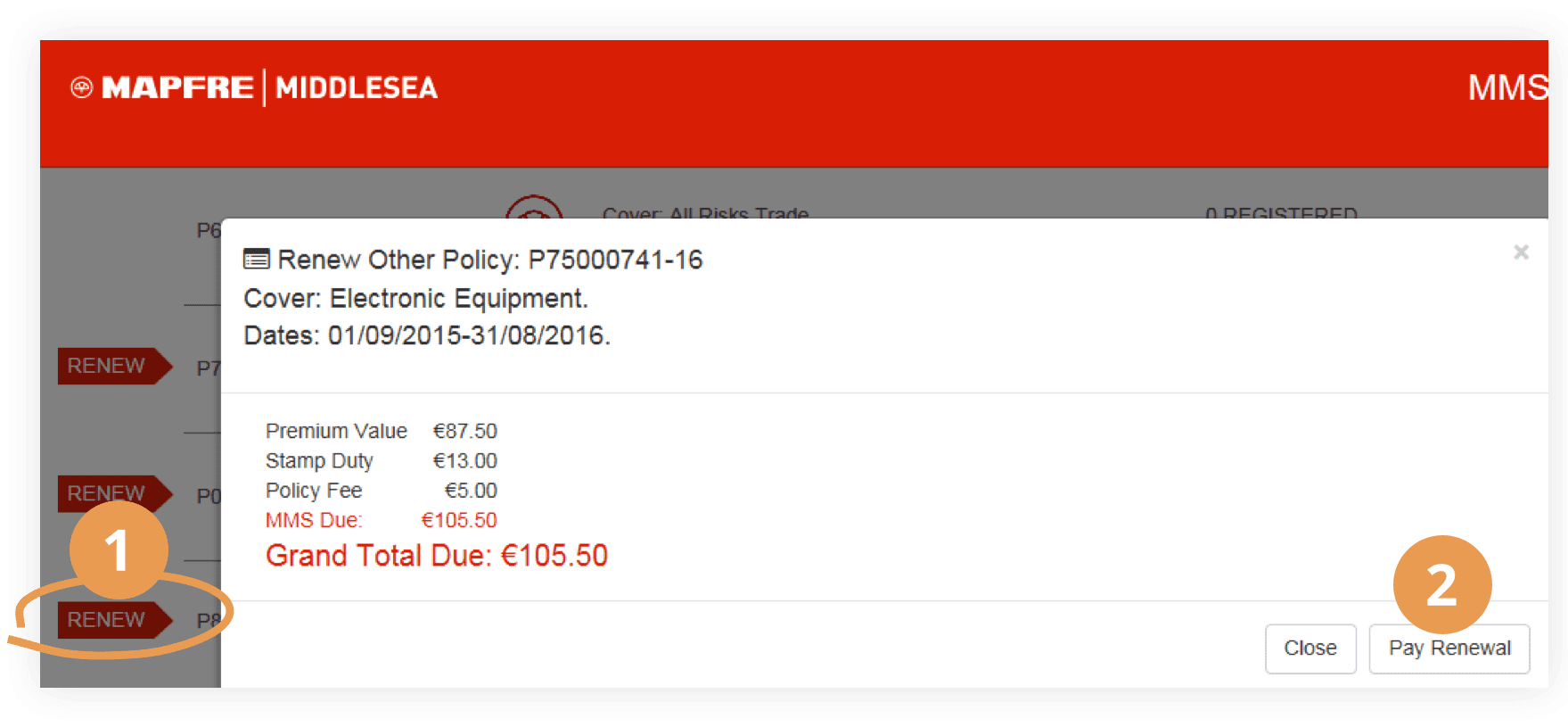
If a renewal is pending, a pop-up will appear. Renew your policies and make online payments
 View Reports
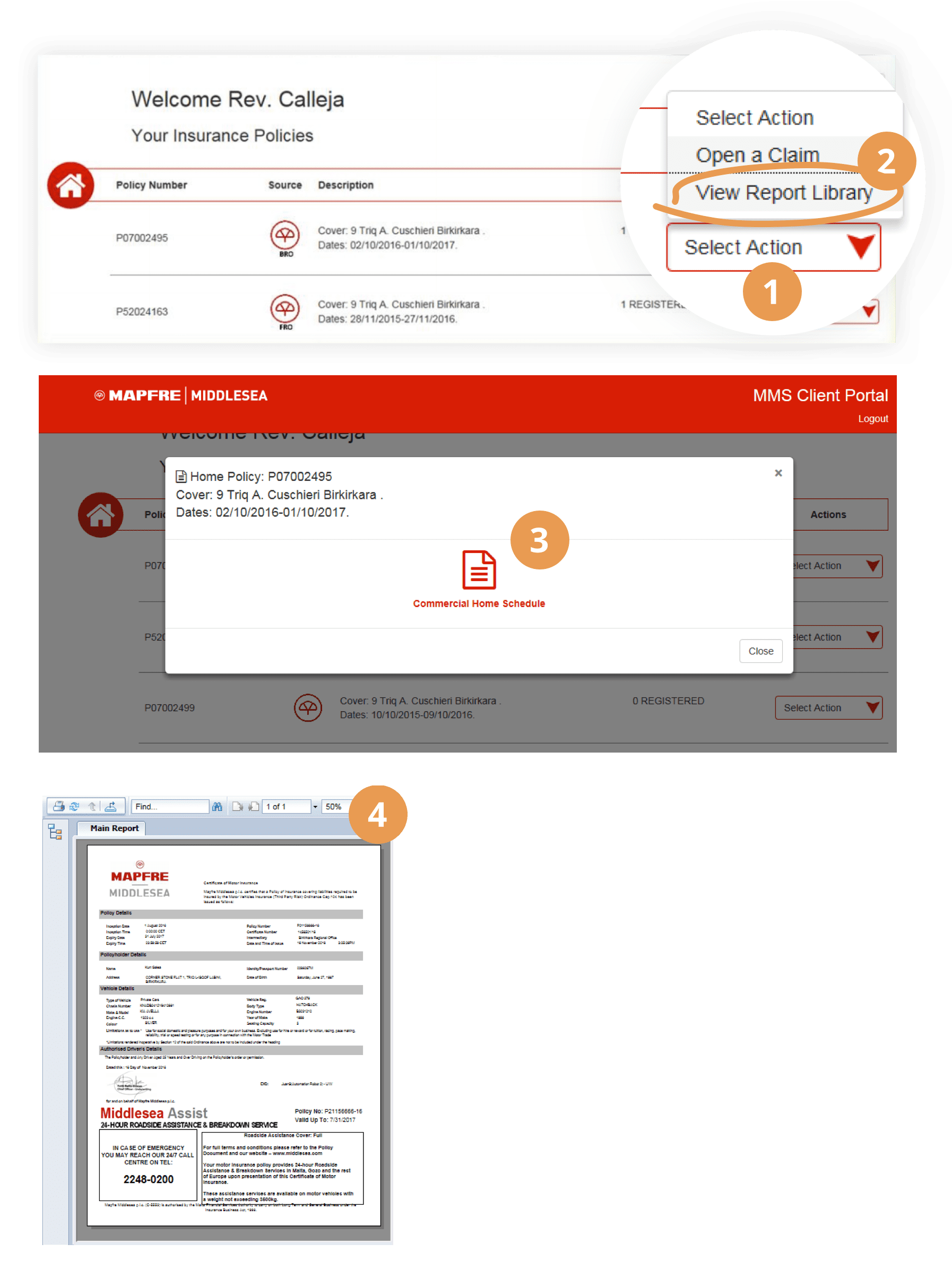
Access the report library and download the documents related to your policies
 Update Details
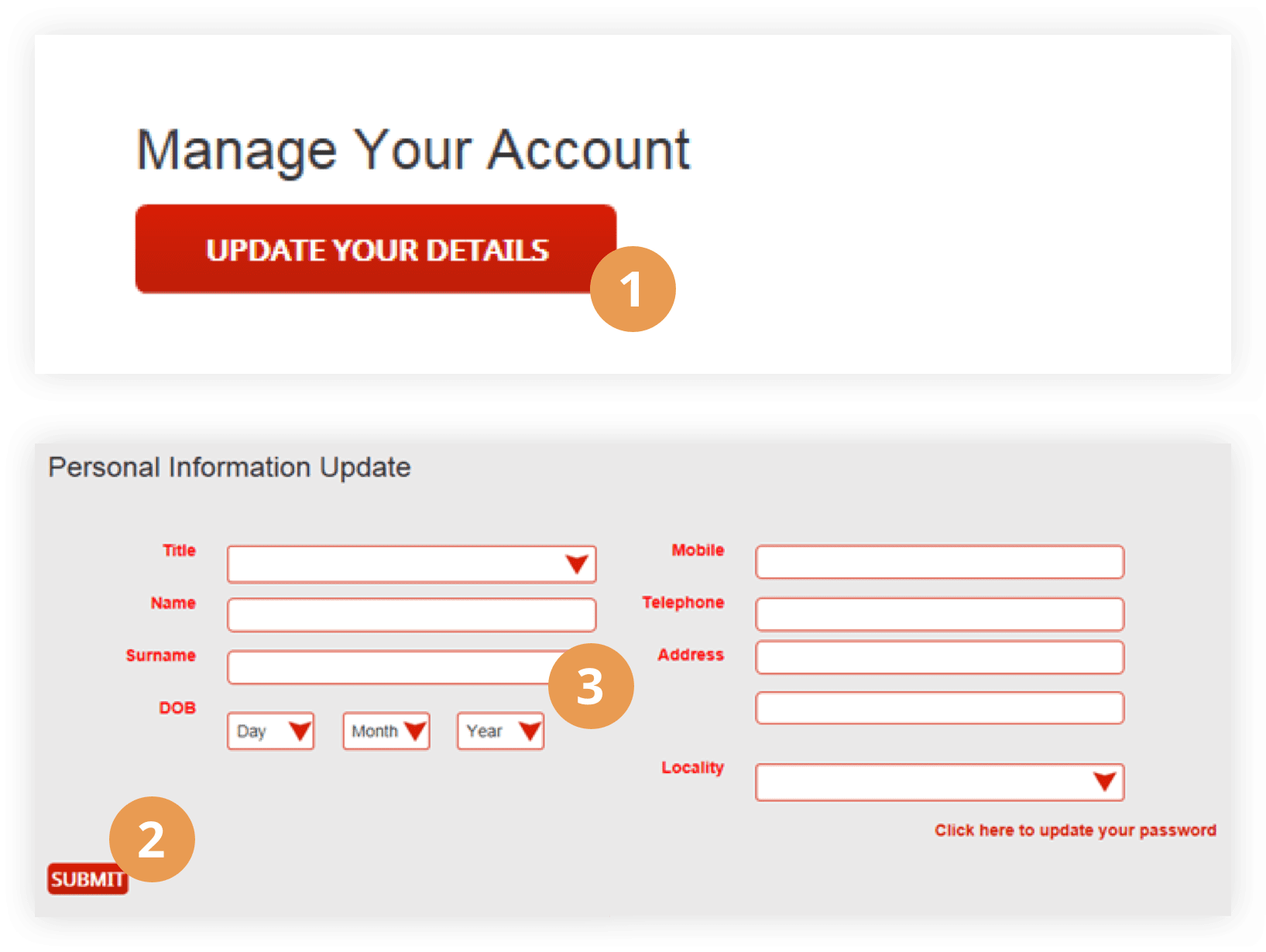
You can also update your personal details
 Contact Us
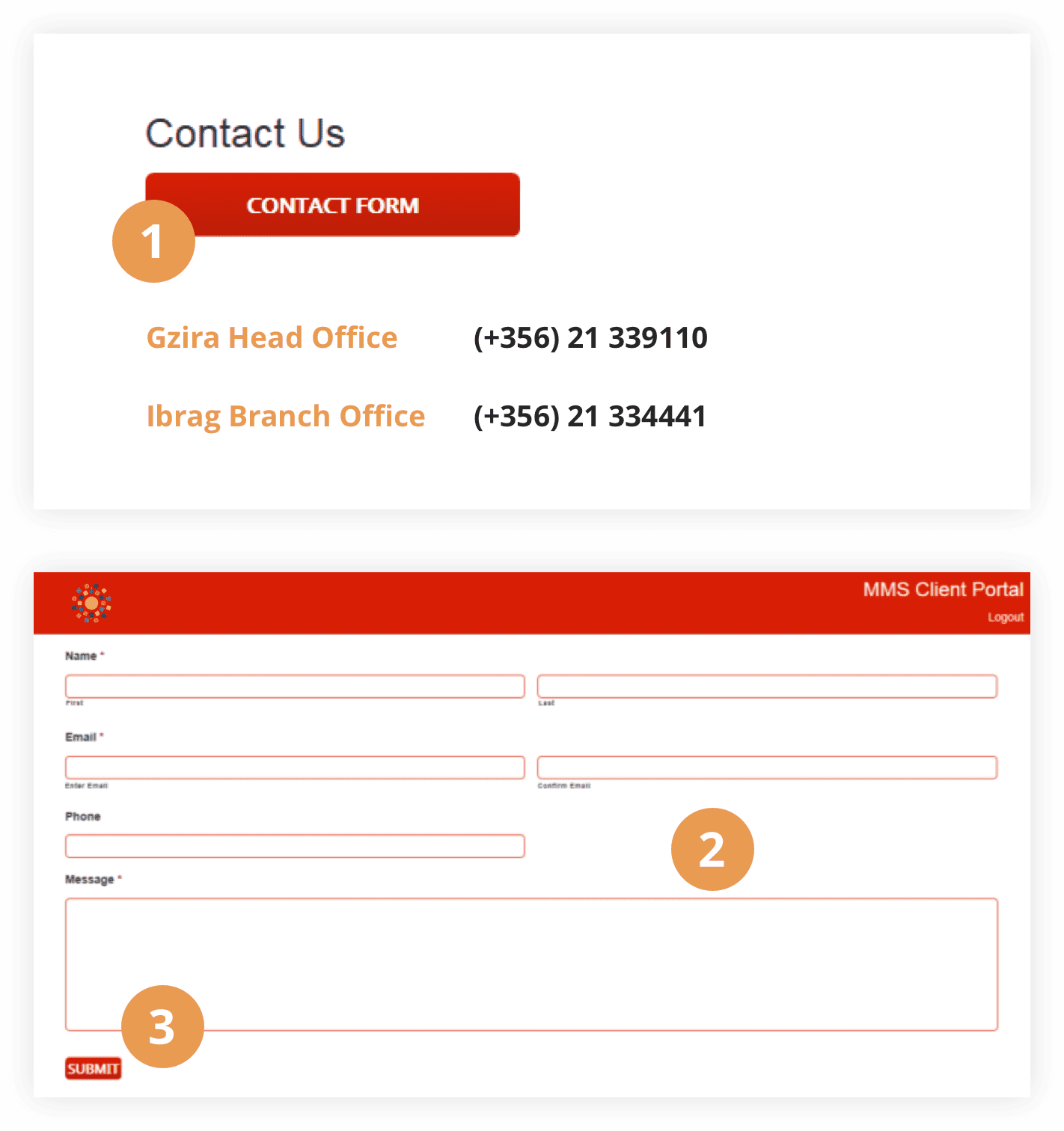
Address all your queries online
Create an account and start managing all your policies.Take advantage of what the Client Portal has to offer you.
Register and Get Access
 Request your code online through the portal
- 1. Access the Client Portal
- 2. Click on New User
- 3. Click on Need a Code?
- 4. Enter the required details
- 5. Check your email!
 Recieve it by SMS or email at the time of renewal
A personalized SMS and email with your unique code will be sent if your policy is due for renewal
 Request your code by email
- 1. Send us an email to info@bonniciinsurance.com
- 2. Give us your ID Card number and your policy number
- 3. Answer some security questions
- 4. Get your code!
Now it’s possible to have an overview of all your policies at a glance.
Portal Guide
As soon as you log in, you will be presented with an overview of all your portfolio
- Policy Number
- Brief Description
- Claims Status
- Action Drop-down
- Open a Claim
- Renew Policy
- View Reports
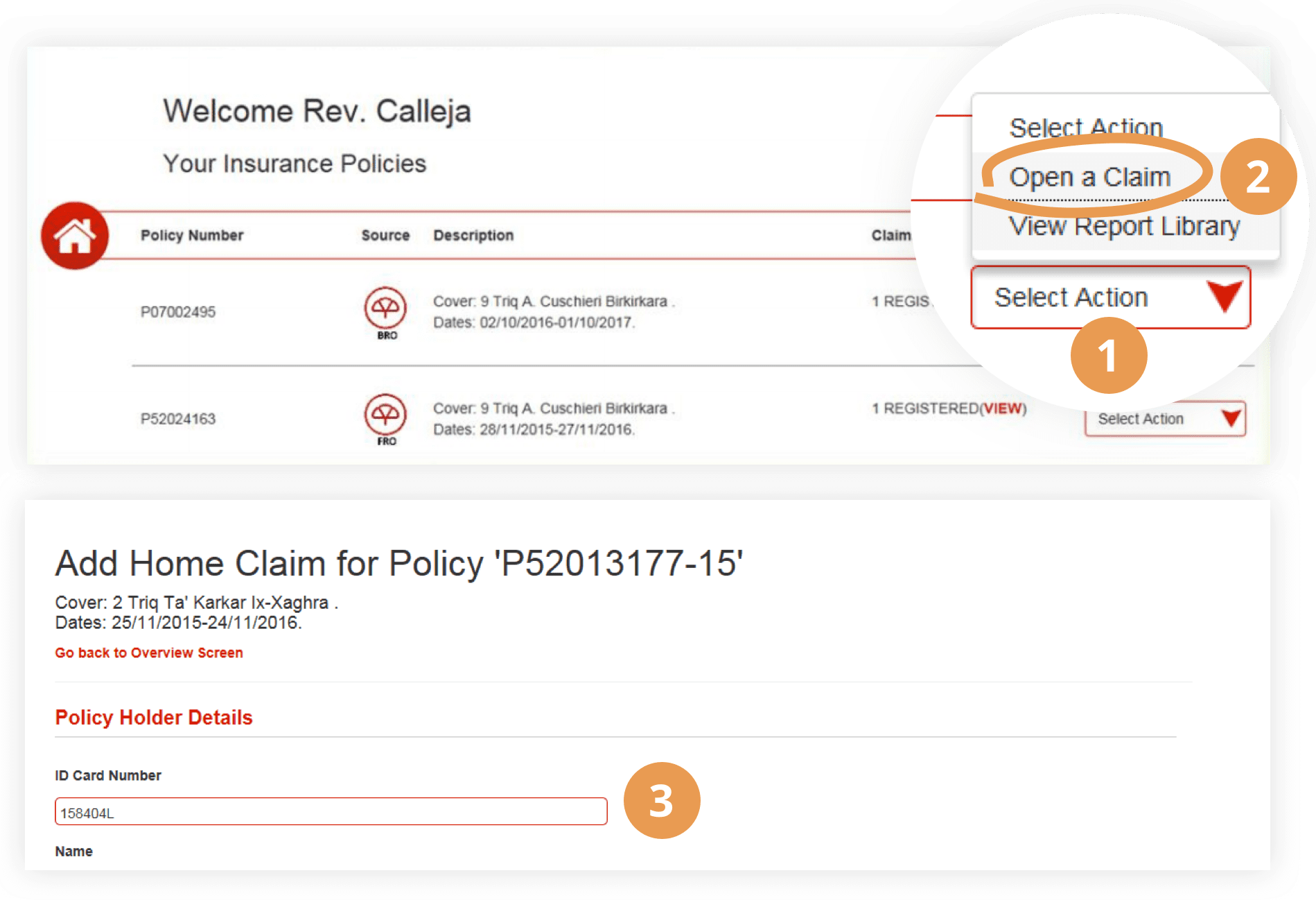
Register a claim
- Click on ‘Select Action’
- Click on ‘Open a Claim’
- Fill in the details
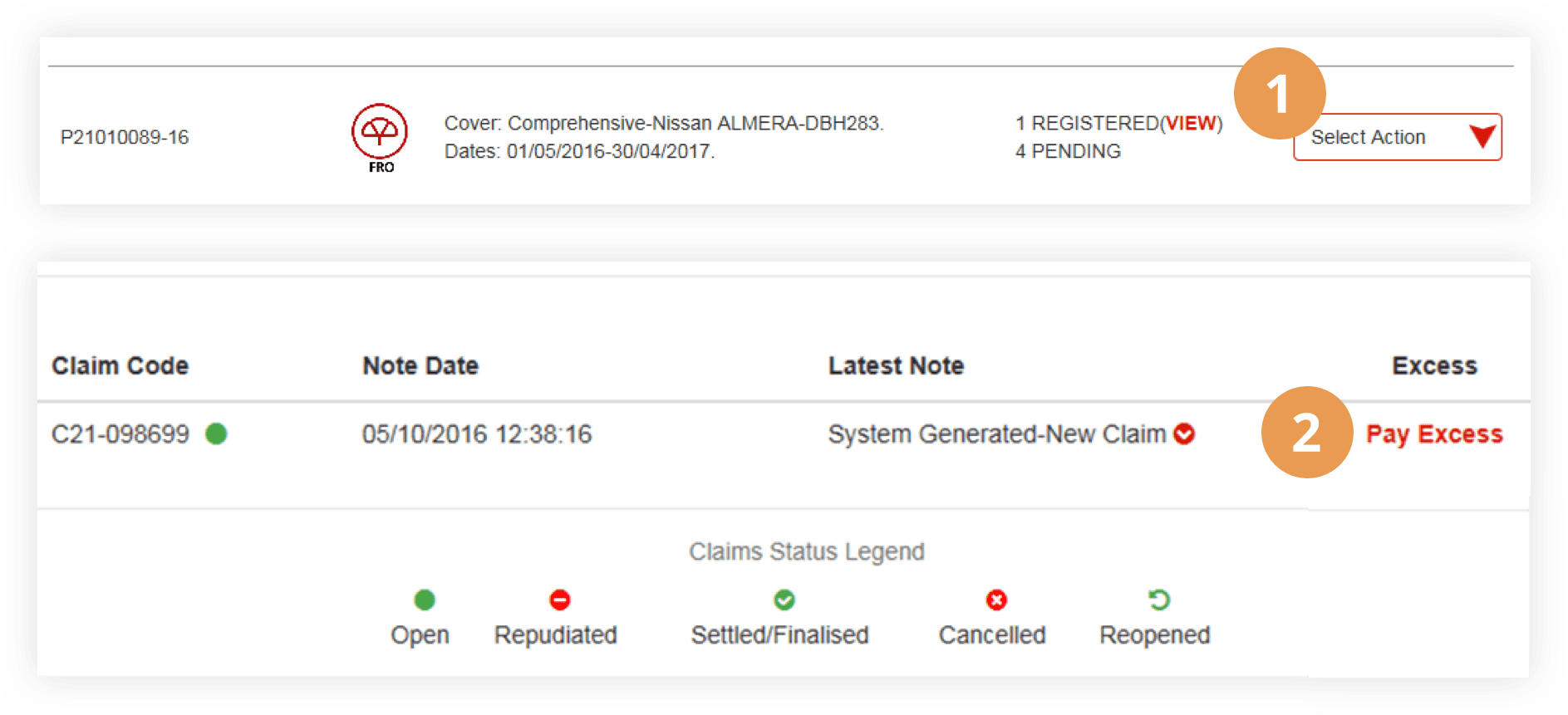
Track the status and pay the excess if required
- Click on ‘View’
- Click ‘Pay Excess’
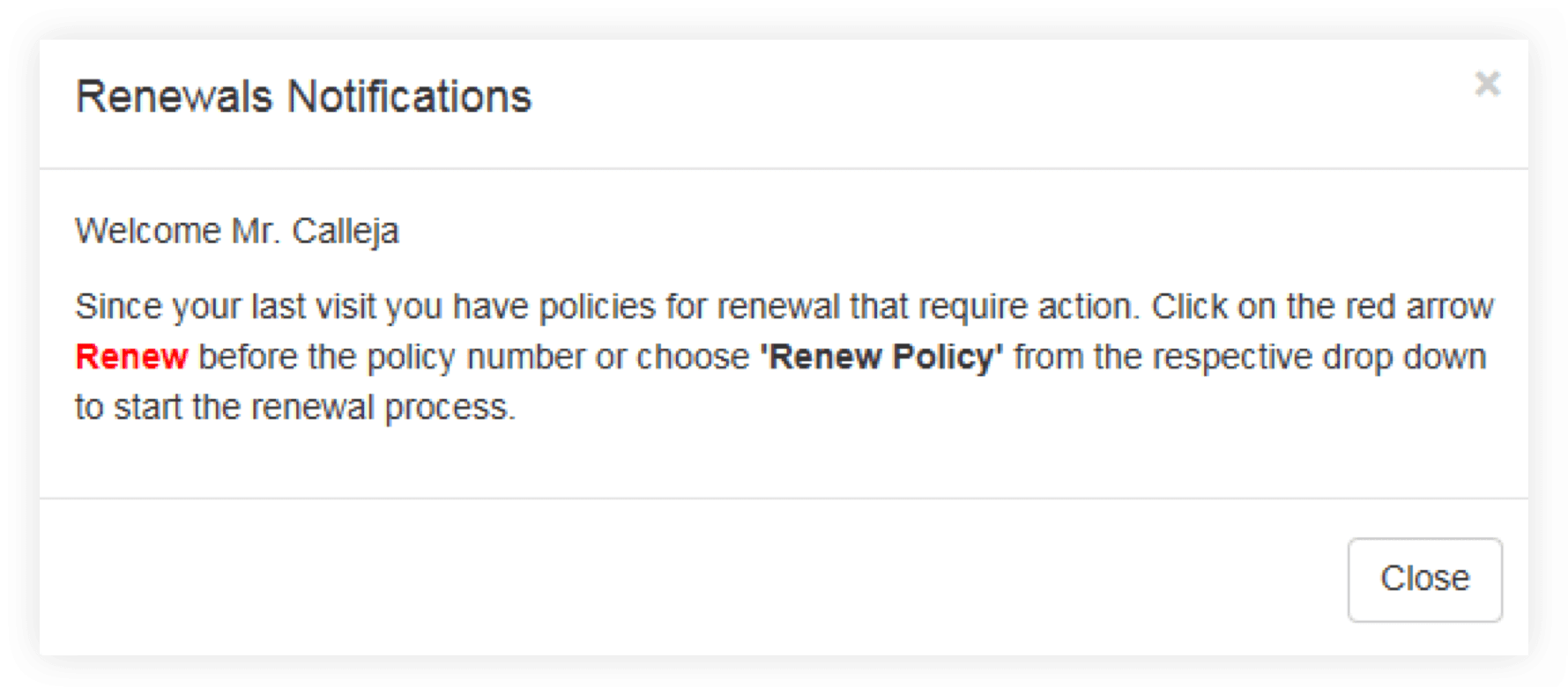
Be notified when a renewal is pending
If a renewal is pending, a pop-up will appear. Renew your policies and make online payments
Renew online and pay
- Click on ‘Renew’
- Click ‘Pay Renewal’
Access the report library and download the documents related to your policies
- Click on ‘Select Action’
- Click ‘View Report Library’
- Click on the PDF icon to download
- View your report!
You can also manage your account and update your personal details
- Click on ‘Update your details’
- Update your personal information
- Click on ‘Submit’
Fill in the form and address all your queries online!
- Click on ‘Contact Form’
- Fill in the form details
- Click on ‘Submit’
Put your mind at rest.
Talk to us — immediate and individual attention, since 1987.